
Begin a QC review with the order details, not with a general impression of the gallery. Match the model, colour, stated size and included pieces. Then ask whether the available photographs answer the visible-condition question that matters to your purchase.
Check identity before fine details
Look for the selected variant and quantity. For paired items, compare both sides where the views allow it. An attractive front photograph may not show the fastening, sole edge or label needed to confirm a particular detail.
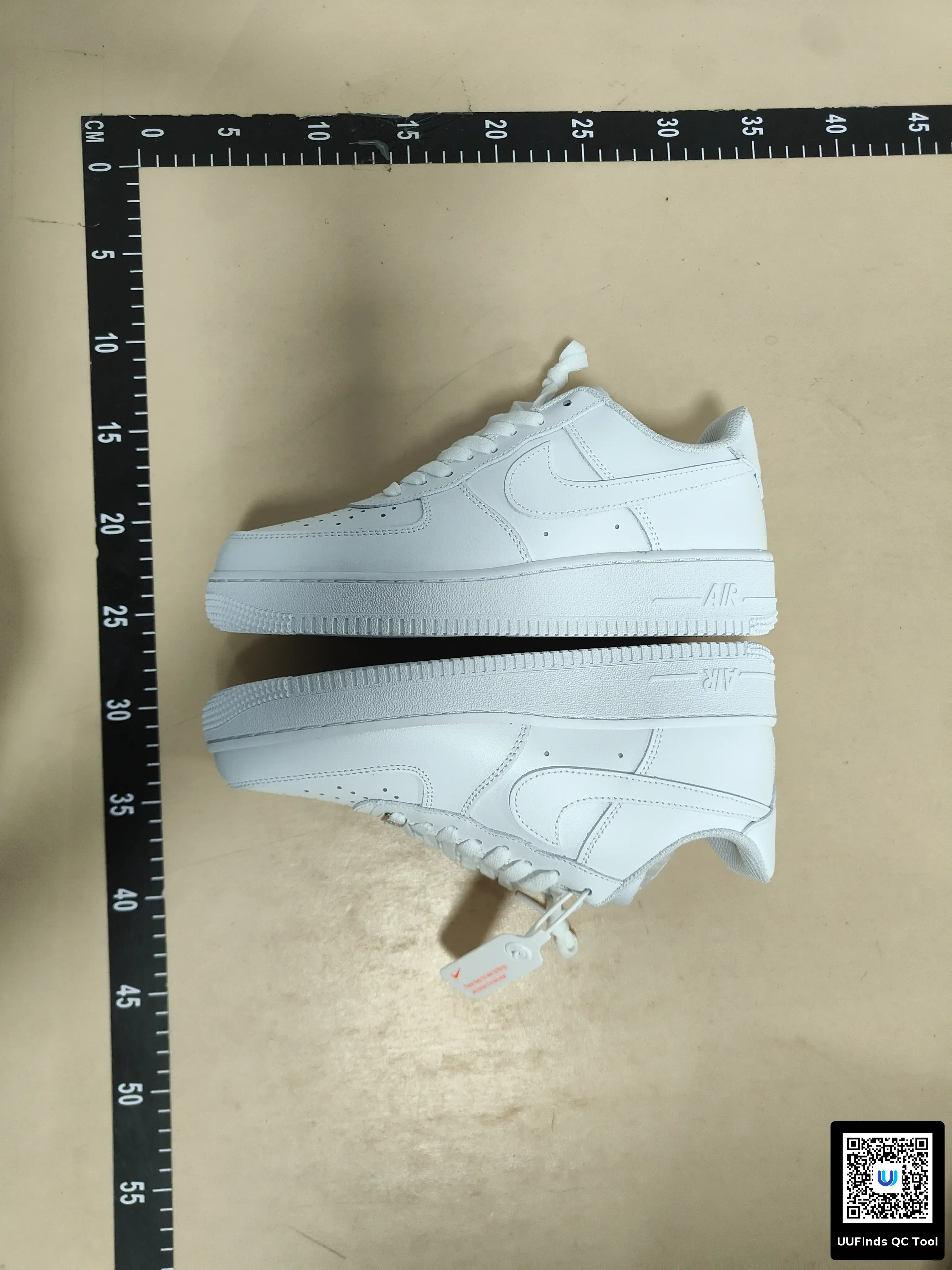
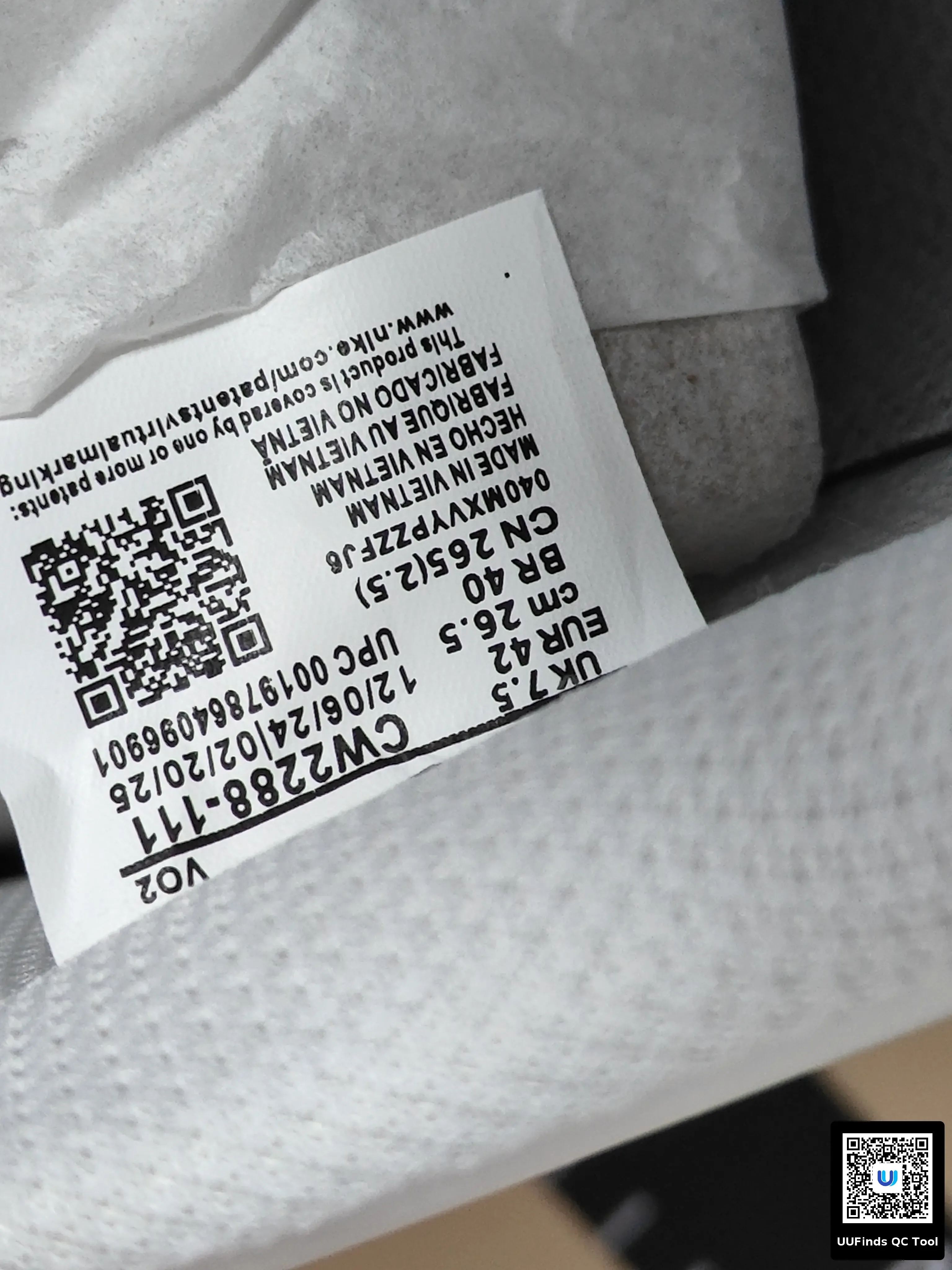
The public UUFinds reference images below show a white shoe pair and its size label. They illustrate visible panels and markings, not your own purchase or a verified match to a current the catalog offer. A printed size can be read from the label, but it does not establish internal length, fit or authenticity.
Ask for a specific missing measurement
Identify both the dimension and the method. A flat garment width, bag opening and internal shoe length answer different questions. A request that simply asks whether quality is good may not produce the information needed for a decision.
Joyagoo's clothing QC description covers selected size, colour and visible problems. It does not make every photograph proof of material composition, long-term durability or comfort. Keep a visible observation separate from a claim about properties the image cannot establish.
How to use a QC finder
A Joyagoo QC finder or spreadsheet with QC can provide examples for a model-level comparison. Confirm the source and variant before using the reference. “QC completed” is a stage description, not proof that every feature has been tested.
Protect privacy when discussing a concern: do not publish account pages, address labels or unnecessary shipment identifiers. A focused product detail is usually more useful than a complete order screen.
iPhone and electronic-device checks
Decide first whether an offer is an iPhone device, case, cable or another accessory. Joyagoo describes its electronics inspection as visual, without a power-on functional test. An intact shell and visible fittings do not prove battery condition, compatibility or working features.
Check shipping eligibility separately for battery-containing goods. For straightforward visual comparisons, browse the catalog accessories, save the exact option with the links guide, and use your eventual own-order photographs to answer the original inspection question.
Jerseys: check the selected design and personalisation
Football shirts can look nearly identical in a collection while differing in season, cut or included details. Start a Joyagoo jersey comparison with the exact version you want. Only then compare the size, print options and price.
Identify what the offer includes
Record the team or design, season where relevant and home or away style. If an offer uses fan or player terminology, inspect its stated cut and measurements rather than assuming a standard fit or material from those words.
Treat printing as its own option
Confirm the selected name, number and any patches before placing the order. Check spelling and retain the choice privately. The collection's main image may show a different printed variant from the one selected in the actual offer.
Measure for the intended fit
Compare the dimensions with a shirt you wear for a similar purpose. A fitted sports layer and a relaxed everyday jersey may need different room for the same person. For children, current measurements are more useful than choosing by age alone.
View jerseys in the catalog, compare equivalent versions and use QC guidance when your item arrives. If you also want football boots, handle their surface and functional requirements separately through the shoe guide. Matching an outfit visually does not establish that the footwear suits the intended activity.